Pages

Friday, June 15, 2018

VAS5054A ODIS 4.3.3 ODS2522E Error: Solved on 64 bit Windows

Laptop: Panasonic cf53
Connection: Bluetooth

Error message:
After paring 5954A unit with my Panasonic cf53 and setting up the Bluetooth and EDIC ok then open Odis 4.3.3 while it’s connecting I get error message:
ODS2522E

Infrastructure:
The vehicle interface hardware used here is not supported.


Thinking it could be a laptop issue as I can pair the 5054a with a later cf54 and it works fine also try to connect it to 2 other cf53 and get the same error

Suggestion & Solution tested by cardiagtool professionals:

Pls try odis 4.3.3 on 64 bit Windows
Then solved!
Note that you’d better have tested odis 4.3.3 software esp. cheap cracked version
It’s not a good idea to get free odis from forums coz many posters just tested on their own cars and have no enough knowledge of software compatibility that they cannot offer good tech support when someone has issues. Anyway, good luck!
This is odis 4.3.3 cracked but tested on hundreds of cars...

Solution from folks in mhhauto.com:

Follow this steps :
1.- Install ODIS-S as usual but NO restart !
2.- Rename the folder Softing from Program Files (x86) (or Program Files) to Softing.ori
3.- Copy the downloaded Softing folder to Program Files (x86) (or Program Files).
4.- Restart
5.- Install Postsetup
6.- Install ODIS-E 8.1.3 as usual
7.- Thats All !
UPDATE :
1.- Replace Softing directory with the updated directory and you get this...
DOWNLOAD Softing OK UPD:
https://mega.nz/#!FcVgxSYT!6mEcIN2nQqMcwF4TZA31JVJx3WEGI4pjuAb1TyPmO7Q
Credits to O.P. from http://mhhauto.com/Thread-UPDATED-ODIS-S-4-3-3-AND-ODIS-E-8-1-3-solution-for-clones

Sunday, March 11, 2018

ODIS Engineering 8.1.3 Free Download


Free download Offboard Diagnostic Information System Engineering 8.1.3 with released notes:


ODIS Engineering 8.1.3 Links:

Setup File

https://mega.nz/#F!ggIR1bZC!WpTJr-aaT-WGaMjPP4a-3Q

Post Setup

https://mega.nz/#!mEoXAKIA!rLrHTAGk0DgQwNDRUSd4QEIlXe5RaJgXnh6m2bkR21M

Softing folder Trick

(Just delete the old Softing folder in Program Files Folder that you have and put this one in case you have already old ODIS before)

https://mega.nz/#!mMggQLiA!6nAx4i2BwCkbmxEeCSPHz1mn5MAeEa3HRO4ocEhIQ5A

In case you install ODIS 4.3.3 for the first time and you don't have before any old ODIS before then

Just delete the Softing folder from Program Files folder and paste this one as per this link below

https://mega.nz/#!mMggQLiA!6nAx4i2BwCkbmxEeCSPHz1mn5MAeEa3HRO4ocEhIQ5A

Full Launcher with License

https://mega.nz/#!U74SEZqS!yFrVx7f1E4DSnMqj7OYY7FP5zo5_XDzrtJdthu0bi-c

ODIS-E 8.1.3 Full

https://mega.nz/#F!ZMkwkLxb!dlXoDFIBPnXhVziZdQsL2w

ODIS Engineering 8.1.3 Released Notes:

Restrictions

Windows 10 only supports the new diagnostic interface VAS 6154 (known as the WLAN remote head). Users of the older models VAS 5054, VAS 5054A and VAS 5055 can continue to use the Windows 7 i.do client on existing systems until 2019 or acquire the Windows 7 i.do. client from IT Client Support for replacement devices. The new diagnostic interface can be used with both operating systems. Please place any necessary orders with Workshop Equipment in good time.

Functions in version 8.1

The key features newly added or revised in release 8.1 are described briefly in this section and the additional CCB_DS IDs implemented are cited.

CCB_1325

Der Diagnosetester muss PKI Anmeldungen zu den unterschiedlichen Systemen unterstützen.

CCB_1623

Die Einbindung und Verwendung von VCI in den Diagnosetester muss überarbeitet werden

CCB_1981

ODIS muss den Schutz der Fahrzeugdiagnose SFD umsetzen. (nicht final)

CCB_2021

ODIS muss mit dem Diagnose-Firewall-Mechanismus in Gateways angemessen umgehen.

CCB_2081

Die ODIS Applikationen muss DK1/2-Sollverbaulisten schreiben können.

Jira_575

Controlnames-Erweiterung Testautomatisierung: Admin-Lizenzinformationen

Jira_629

Erweiterung der Preset Leeren Funktionalität (Stellglieddiagnose, Grundeinstellung)

Jira_742

Erweiterung der Uninstall Funktionalität

Jira_804

Fehlerkorrektur beim Zurücksetzen einer Filter-Maskeneinstellung für die Diagnosefunktion „Ereignisspeicher“ im Admin-Bereich

Jira_805

Integration von Case-Insensitiven Dateibezeichnungen beim Datensatz schreiben

Jira_848

Einbau der Button „+“ und „-“ in den Funktionen Messwerte und OBD Mode

Jira_857

Anpassung der Tracing Speicherorte (z.B. Entfernung PV-Traces)

Jira_873

Integration eines Warnhinweises beim Protokollieren in der Funktion „Gesamtsystem auslesen“

Jira_875

Anpassung von Übersetzungen

Functions in version 8.1

The key features newly added or revised in release 8.1 are described briefly in this section and the additional CCB_DS IDs implemented are cited.

Jira_877

Controlnames-Erweiterung Testautomatisierung: Admin-Tabs und Admin-Gruppen

Jira_884

Einbindung Vector VCIs

Jira_887

Anpassung Messwerte um Tooltips und Enablement

Jira_895

Anpassung der Anzeige des Sendestatus beim Protokollversand (leichteres Erkennen von nicht erfolgreich versendeten Protokollen)

Jira_897

Anpassung der Messwerteprotokollierung für Ergebniswerte mit identischem ODX-Pfad

Jira_900

Ausgabe der RDID für den stellgliedspezifischem Messwert

Jira_907

Erweiterung Fehler-Handling und Ausgabe eines inhaltlich passenden Fehlerdialoges beim Laden einer Datei in der Funktion „046.01 Codierung / Anpassung“

Jira_911

Integration der Umgebungsbedingungen im DTC-Snapshot Export-Protokoll

Jira_912

Anpassung der 5-Baud-Adressermittlung bei OBD-Löschen (funktionaler Aufruf)

Jira_915

Korrektur der Byte-Konvertierung beim Lesen der Speicherzellen

Jira_934

Entfernung DoIP-Tracing aus der Administration

Jira_944

SFD: Verwendung der Control-Option 0x02 bei der Ermittlung der SFD-Abfragestruktur

Jira_953

SFD: Entfernung der Auswahl „Schwache Authentifizierung“

Jira_955

Entfernung des ReleaseNotes-Dialoges beim Start von ODIS Engineering

Jira_967

Dummy-VIN bei der SFD-Freischaltung, wenn keine reale VIN ermittelt wurde

Defect resolution in version 8.1

The defects resolved in release 8.1 are described briefly in this section.

CR QC18371

/VAS 6154 - USB - CAN/ ODIS-E friert ein beim Lesen des KD-OBD Mode 09

CR QC19085

Tab-Bezeichnung für die Fahrzeugfunktion "047-Gesamtsystem auslesen" wird zum Teil übersetzt

CR QC19228

Identifikation: ENTER-Taste bei Fokussierung des Toggle-Buttons "Standard-/Erweiterte Identifikation anzeigen" ohne Funktion

CR QC19233

Zwei nicht durchgängig verwendete englische Übersetzungen in den Funktionen zum Ereignisspeicher

CR QC19285

Tippfehler in den Oberflächentexten: "Sondernzeichen" statt "Sonderzeichen"

CR QC19454

Update von R7.2.2 auf R8.0.3: Beim Update nicht aktualisierte Dateien

CR QC19460

Übersetzung: Fehlender übersetzter Hinweis im Bereich Admin --> Allgemein --> Multilink

CR QC19461

Übersetzung: Protokollierung Entwicklerereignisspeicher in nicht-deutscher Spracheinstellungim Ergebnisprotokoll

CR QC19503

Stellglied-Messwert Filterung bleibt nicht konstant nach Falscheingabe - SG wieder alle eingeklappt

CR QC19546

Bei Anpassung werden noch nicht geschrieben Eingabeparameter nicht angezeigt.

CR QC19562

SFD-Zugriffsberechtigung: Anzeige der Rückgabewerte zum Freischaltstatus ist abgeschnitten

CR QC19574

Inkonsistenzen im Build zum R8.1.0 (B81_0_0_6) von der Nosbox

CR QC19579

Update von R8.0.5 auf R8.1.0 schlägt fehl

CR QC19580

Flashfiles und BZD-Protokolle können nach Umstellung auf PKI-Anmeldung nicht von System42 geladen werden

CR QC19585

WebSchnittstelle: Setzen der Marke für Übertragung von BZD-Protokollen an Carport nicht möglich

CR QC19610

Falschsetzung der Checkbox zum Wechseln zwischen Diagnose und Adminbereich nach Wechsel der Sprache

CR QC19611

Anpassung: Unvollständige Änderungskennung für Presets

CR QC19658

VCI Verbindung VAS5054 nach Verbindungsabbruch konnte nicht wieder automatisch hergestellt werden

CR QC19695

Downgeloadetes Update wird bei USB-Anbindung eines VAS6154 nicht ausgeführt

Tuesday, February 27, 2018

How to get ODIS 4.3.3 For VAS 5054A


Bad clones of VAS5054a not gonna work with this version 4.3.3.

Even those that works with ODIS 4.2.3.


I mean, VAS5054a clones work on 4.3.3 with PDU 041 only. But not working with PDU 042

For bad clones just need to downgrade PDU from 042 to 041

Remove EDIC 1.20.42 from PC

Then install this older EDIC attached:

https://mega.nz/#!URV1nLwa!mn6xoEUmQeyCwhes1tDB6qvp20trgDUYy6BVNxRnLUk


If you should check post install (before you plug in your device) in Add/Remove programs you should see Softing D-PDU API V1.20.042 EDIC_D_PDU_API_OE/OS
Remove these from PC and reboot (just in case)
Install the EDIC provided above with version 041
Then plug in your device and test

I myself have not tested the above, but I think I works

But if you want use ODIS easily for VAS 5054A clone head, choose ODIS 4.2.3. It's a tested version, confirmed to work no issues

Good luck!

VAS5054A software can't install on Windows 10?

In a native way ODIS software it's not working on Windows 10 (with VAS5054A head).

The "problem" is not with the drivers.


If you install PDU alone on win10, the device is accessible and the drivers working properly. There is no problem with the drivers i guess. Odis 3.0.3 is working with win10 without any problem with older drivers native way. This is why i think, there is no problem with the drivers.

What i assume is that VAG is starting to make vas5054 useless, because of the lot of clone devices. VAG will make every garage buy the new head and cut the vas5054 support from Odis. After 2020 there won't be 5054 support and they say because of win7 support is over... It is all about business i guess...

Odis is a huge java code monster. What can be unsupported via java vm with win10 what can be supported on win7?

Here, i collected good tips on the web for you all. About ODIS and Win 7 Win 10 install. Hope it helps.

Odis install on Windows 7 or Windows 10?

Tip 1: install sw, connect 5054a head, install driver, run odis

No need any settings

After install, connect your vas5054a in OBD and USB, install driver.

Open your Odis! All will work

Tip 2: Windows 7 x64, not windows 10


True, but only on win7 x64 not win 10 x64

"Windows 10 only supports the new diagnostic interface VAS 6154 (known as the WLAN remote head). Users of the older models VAS 5054, VAS 5054A and VAS 5055 can continue to use the Windows 7 i.do client on existing systems until 2019 or acquire the Windows 7 i.do. client from IT Client Support for replacement devices. The new diagnostic interface can be used with both operating systems. Please place any necessary orders with Workshop Equipment in good time."

Tip 3: a clean Windows 7 is the best way

I will prefer you to use windows 7 for all the diagnostic devices, this is because of the security of the windows 10. The best way to get a good working diagnostic program is to have one and only laptop for this. A clean windows 7 i are the best way, but this is only my experience

Odis-e,-s on same laptop, Windows x64? x86?

Tip 1: odis-e odis-s same laptop, x64 better

Both odis e and odis s can work together on same laptop partition. no problem. For newer versions will be better x64.

Tip 2: x86 much better, no lack of functionality

x86 is soooo much better since there is no any lack of the functionality for any kind of driver of ur laptop , I test both x86 is better and u can install both yes ODIS-S and ODIS-E

Tip 3: on Windows 7 x64, perfect


Works perfectly on Windows 7 x64, I have Engineering 7.2.2, Service 4.1.4 and Service 4.2.3 in same partition and no problem, if you execute any of them in Windows 10 you won't be able to select vas5054a.

Tip 4: on Windows 7 64bit works very well


I installed on win7 64bit and it installed and I added the update file from the download, starts and works very well, thank you all for your guidance and comments.

Tuesday, January 30, 2018

VAS 5054A 6154 ODIS-S 4.3.3 Free Download

Offboard diagnostic information system service ODIS-S 4.3.3 free download:


IT´S only Original Setup -> NO Patched Launcher NO Postsetup NO License!!

This version has same level of d-pdu api as odis-e 8.1.3
All proper vas heads with amb2300 genuine will work as a charm, same as all passthru interfaces supported.

IF YOU WANT INSTALL YOU NEED HAVE - LAPTOP NEW WINDOWS ( can work win7 and 10 ) - dowload database from erwin * window 10 can work j5234 and vas6154 win 7 can work j5234 , vas5055, vas5054, vas6154


YOU ARE TRYING ODIS 4.3.3 ON YOUR OWN RISK!!!!!!!!!
Professionals have not tested it yet!

For sake of SECURITY, go for the latest ODIS 4.2.3 TESTED version:
Look here:http://www.cardiagtool.co.uk/newest-odis-223-software-for-vas-5054a.html


verified to work no issues.!!!!!!!!!!
Odis install on Windows 7 or Windows 10? 

Tip 1: install sw, connect 5054a head, install driver, run odis
No need any settings ;-)
After install, connect your vas5054a in OBD and USB, install driver.
Open your Odis! All will work :-)

Tip 2: Windows 7 x64, not windows 10
True, but only on win7 x64 not win 10 x64

"Windows 10 only supports the new diagnostic interface VAS 6154 (known as the WLAN remote head). Users of the older models VAS 5054, VAS 5054A and VAS 5055 can continue to use the Windows 7 i.do client on existing systems until 2019 or acquire the Windows 7 i.do. client from IT Client Support for replacement devices. The new diagnostic interface can be used with both operating systems. Please place any necessary orders with Workshop.

Equipment in good time."

Tip 3: a clean Windows 7 is the best way

I will prefer you to use windows 7 for all the diagnostic devices, this is because of the security of the windows 10. The best way to get a good working diagnostic program is to have one and only laptop for this. A clean windows 7 i are the best way, but this is only my experience

odis-e,-s on same laptop, Windows x64? x86?

Tip 1: odis-e odis-s same laptop, x64 better

Both odis e and odis s can work together on same laptop partition. no problem. For newer versions will be better x64.

Tip 2: x86 much better, no lack of functionality

x86 is soooo much better since there is no any lack of the functionality for any kind of driver of ur laptop , I test both x86 is better and u can install both yes ODIS-S and ODIS-E

Tip 3: on Windows 7 x64, perfect

Works perfectly on Windows 7 x64, I have Engineering 7.2.2, Service 4.1.4 and Service 4.2.3 in same partition and no problem, if you execute any of them in Windows 10 you won't be able to select VAS5054Al

Tip 4: on Windows 7 64bit works very well

I installed on win7 64bit and it installed and I added the update file from the download, starts and works very well, thank you all for your guidance and comments.

Monday, November 27, 2017

How to Solve Vas5054a ODIS-E Error ODS8024E

Purpose: solve ODS8024E error in ODIS-Engineering 6.7.5 for 5054a head

Hardware: OKI VAS5054A unit, firmware version 1.20.37
Software: ODIS-S 3.1.3...works perfectly
         ODIS-E 6.7.5...get an error when select a module for flashing

Operation system: running ODIS-E and ODIS-S natively on Windows 10 x64

Error message:

"ODS8024E
Infrastructure. Vehicle (EcuCom):
An error occurred during communication with the MCD system:
The MCD job <SinglJob_StandECUIdent>
did not delivery any results after completion.


How to setup ODIS Engineering 6.7.5:

I believe with odis-e 6.7.5 you have to use the projects found in odis-s 3.1.3.

That is one way of doing it. Admin--->diagnostic data--->ODX update index file 1

I am using the other method Admin- Save Locations - Diagnostic data - engineering odx projects (...) Target directory. Just select the project directory of odis-s 3.1.3.

In case you have o-e 6.6.1 do the same with odis-s 3.0.3

I am not sure if it will create problems if one tries to use newer project versions than the ones I have paired with above. Not tested. I try to be consistent, to have compatible pdu-api with hardware in hand.

In case you want to install a newer odis-s first install the odis you need for the odis-e version you have, copy the projects to project engineering project folder and then uninstall that odis-s in order to install the newer version you wish. Use new folder directory were you copied the projects to.

SORTED!!!

The Q7 4M platform requires the use of the project file "AU73X" and NOT MLBEvo, and my bro’s Q5 8R requires Au48x. Was able to successfully flash the gearbox! 

Flash with help of the following tip. I copied here -


Information on ODIS report up in the vehicle data:


Then inside ODIS go and choose your engineering "project vehicle" as follows:


AU56X in this case

Click on the green triangle

the list of computers with different options on the right

Select the computer to update and double click on Flashing right

Then select the computer you want to update and click File local Flashing. In

principle on the DVD of Flash, you can only select the flash file on your computer


Note: you can also select an older version; that is, maybe the software will allow flashing with.


on system No 17, which corresponds to the instrument cluster is version 0120

So, select the 0240 release

Also, ok to select the updates to the other computers that it be done in the future without

further intervention.

(Personally, this would not be recommended unless you follow the precautions.)

click Start Flashing:


Now a security window will appear:


Click YES, and Flashing begins:


LOOK AT THE TIME IT TOOK TO FLASH INSTRUMENTS MODULE 17 – 26 MIN

Once completed, cut and replace the contact and validate the window, by software pop-up

erase all memories of events on all systems, click YES.

And then the report window is displayed:


The flash was successful, system 17 passed on new version

On a side note: VAG Audi ECU Flash: VAS5054A or VAG CAN PRO

Vas 5054a full chip good quality with odis-e (Vxdiag vcx nano 5054- a redesign of vas5054a) and VAG CAN PRO with VCP can do it.

With 5054, ODIS Service is the "normal" diagnostic software. Without Geko account you won't be able to do any updating/flashing.

So either need 5054, and purchase subscription from VW and use ODIS Service to perform these jobs. That is, you must have valid license and valid online account for online flash.

Or without subscription, need 5054 and ODIS Engineering and offline flash files. Odis 6.0.9, odis 5.0.14 or odis 3.0.3 should be ok......old OIDS-E is working fine with it..

For offline flash you must use the Odis Engineering. For online flash you must have valid license and valid online account........

Be careful when updating VAG ECU's. It is best to read all relevant TPI when flashing VW cars, as some flashes require other work to be performed to work correctly, and not all flash files are appropriate for all cars/engines. TPI is the only source of information I know to check for this info.

Wednesday, November 15, 2017

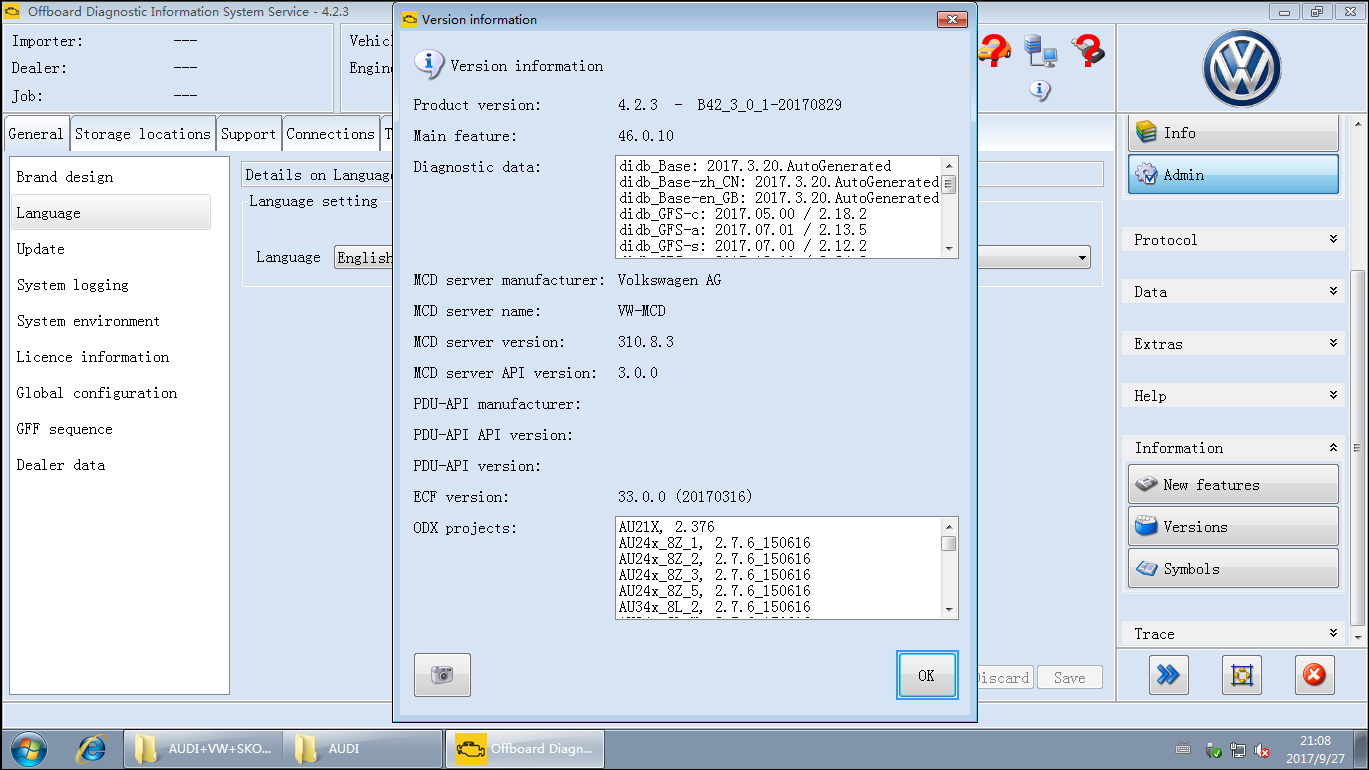
VAS5054A ODIS-S 4.2.3 full with Keygen license & Launcher Postsetup

Crack ODIS-Service 4.2.3 with Keygen + full license + Launcher Postsetup is tested working 100% OK.

Part 1: ODIS-S 4.2.3 crack: with keygen + Launcher PostSetup
http://www.uobdii.com/wholesale/newest-odis-software-for-vas-5054a.html
It’s the latest crack version tested by professionals. It packs with keygen without send HW ID for activation. Works good.
odis-s-4.2.3-download-free-1 odis-s-4.2.3-download-free-1
ODIS-S 4.2.3 works on below hottest VAS 5054A and VAS6154:
sp33-c: good one, green pcb with OKI chip
SP33-BO: share the same manufacturer as sp33-b, blue pcb with OKI chip
sp33-b: cheapest one with green pcb
sp308: VAS 6154 VAG Diagnostic Tool for VW Audi Skoda
OS restriction:
  • VAS 5054, VAS 5054A and VAS 5055 work on Windows 7 i.do client on existing systems until 2019 or acquire the Windows 7 i.do. client from IT Client Support for replacement devices.
  • new diagnostic interface VAS 6154 (known as the WLAN remote head) works on Windows 10, win7.
ODIS-S 4.2.3 License:
Audi, FAW Volkswagen, Shanghai Volkswagen, Skoda and Volkswagen, same as ODIS 4.1.3.
All license can be installed in one same computer.
ODIS-S 4.2.3 installation:
same as ODIS-S 4.1.3.
Youtube video is coming.
Part 2: ODIS 4.2.3 released notes
Functions in version 4.2
The key features newly added or revised in release 4.2 are described briefly in this section and the additional CCB_DS IDs implemented are cited.
CCB 1127 The update check when starting ODIS Service should be “silent”.
CCB 1140 Functional Tester Send Present Request only once
CCB 1589 support of new VW cross section load books
CCB 2004 Display of a support guideline
CCB2015 Farsi (RTL) language support
CCB1692 Display connection quality VAS6154
CCB1968 trace records for DoIP
CCB2038 Read and display DTC snapshots
Defect resolution in version 4.2 The problems resolved in release 4.2 are described briefly in this section. 19502 In the case of end-of-life vehicles (European market), the start of diagnostics remains “waiting for synchronization”
16858 Update OS 2.2.4: VAS 6558-6558A ODIS is available twice in the program and functions after the update.
18569 Flash abort while flashing the climate control unit via DoIP
18648 OS 3.1 TPI Reference to diagnostic object (extend inspection plan) partially not functional
18751 Metrology is not automatically removed or uninstalled using ODIS Service Uninstall
18891 Softing feature on Windows 10 computer
19131 Control unit 0025 Immobilizer is not automatically identified when boarding the A8_2003
19171 Network status is not detected correctly on OS 4.0 and VAS6154 USB
19182 ODIS Service 4.0.0: The green arrow is missing on the Finish / Next button
19207 Read identification data, ident status is not displayed in the print log.
19227 log files are filled with ArrayList messages
19247 ODIS S: different tester present behavior between diagnosis and flashing
19251 OS 4.1.0 Build 41_3_0_1 contains the wrong Diagnostic_Data_Hook
19278 Entry of a special character “_” or “-” (underscore, hyphen) is not possible when installing in the hostname of VAS 6154
19289 Evaluation of unauthorized event memory incorrect
19296 Saved diagnostic session can not be loaded
19298 Error while logging in to CPN via the button Info-medium because of certificate VW-CA-Proc-07
19302 Information about the VCI at the top of the user interface disappears when the language is switched
19313 ODIS Service 4.1.3: The diagnostic protocol does not state that the communication is via DoIP.
Defect resolution in version 4.2
19318 OS 4.0.0 and 4.1.0: A not yet translated standard text is not displayed in the execution system when using a language as Created, it does not use fallback mechanism
19319 OS 4.0.0 and 4.1.0: A text module is not displayed in the execution system when using a language other than Created
19325 OS 4.1.0: When using placeholders with TextIDs, text blocks or ANSI text blocks, a NULL is returned instead of these texts. The placeholder (variable) is displayed correctly.
19350 Spelling errors in the setup.configurator: Special characters instead of special characters
19370 OS 4.1.3 Malfunction of the status display of the network
connection

Supported vehicles with Version 4.2 Approved AUDI vehicles
  • All AUDI vehicles are supported Approved Volkswagen vehicles
    •All Volkswagen vehicles are supported Approved Volkswagen Nutzfahrzeuge vehicles
    •All Volkswagen Nutzfahrzeuge vehicles are supported Approved Seat vehicles
  • All Seat vehicles are supported Approved Skoda vehicles
  • All Skoda vehicles are supported Approved Bentley vehicles
  • All Bentley vehicles are supported Approved Lamborghini vehicles

The following Lamborghini vehicles are supported: Gallardo from MY09-MY14 (only immobilizer and Radio PIN Code) Aventador und Huracán Approved Bugatti vehicles
Bugatti Veyron and Bugatti Chiron are supported Approved MAN vehicles
MAN-TGE is supported

Part 3: Free download ODIS-Service 4.2.3 on Mega 
ODIS 4.2.3 Offboard DiagSetup:
https://mega.nz/#!5coSwAyb!KfVPxVtmTxTNoXOuWnC4VCtsJpYjFdtRNKmZ-FhGFlc
ODIS 4.2.3 Post setup:
https://mega.nz/#!dcYyWTIb!5hDllZnh8W_2r1-On437ypvusQ4G7-O7FuOCfzqRdLo
AUDI+VW+SKODA+SEAT offboarddiag launcher:
https://mega.nz/#!kAoFlDTJ!gk-dMjiia0_kCQNYKoDgnH-LpjMDYTGkffj_YMjjRwo
Part 2: Where & How to activate ODIS 4.2.3

ODIS 4.2.3 Free Activation:
http://mhhauto.com/Thread-ODIS-S-4-2-3-Activation-keys-Open-to-everyone
(Write your HW ID and you’ll get ODIS activation keys)

That’s all.