Pages

Showing posts with label VAS 5054. Show all posts

Thursday, October 19, 2017

Friday, May 26, 2017

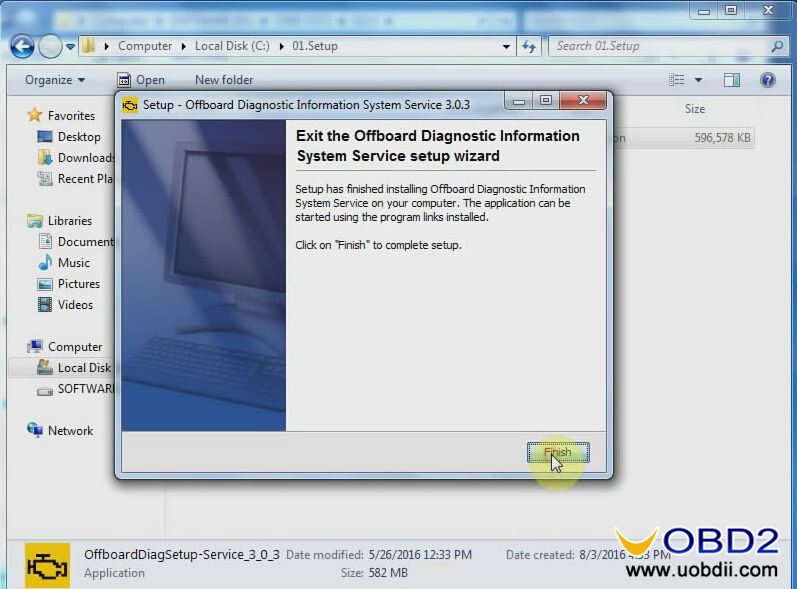
Download ODIS 3.1.3 + Postsetup+ Launcher ALL-in-one for VAS 5054A

Good news for sharing! Here you can free download ODIS 3.1.3 + Postsetup+ Launcher+ Certificate for ODIS 2017+ ODIS S 3.1.3 ODIS E 6.7.5 VMware WIN 7 32bit+ ODIS Flash Data!

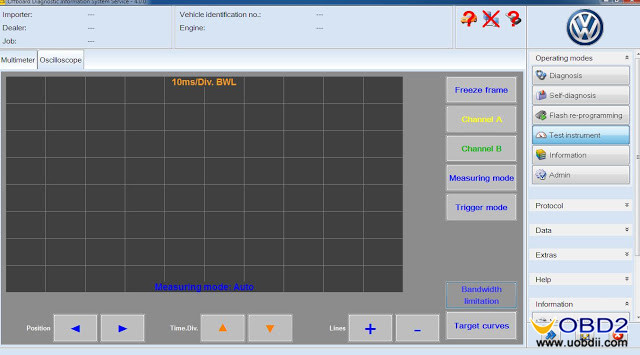
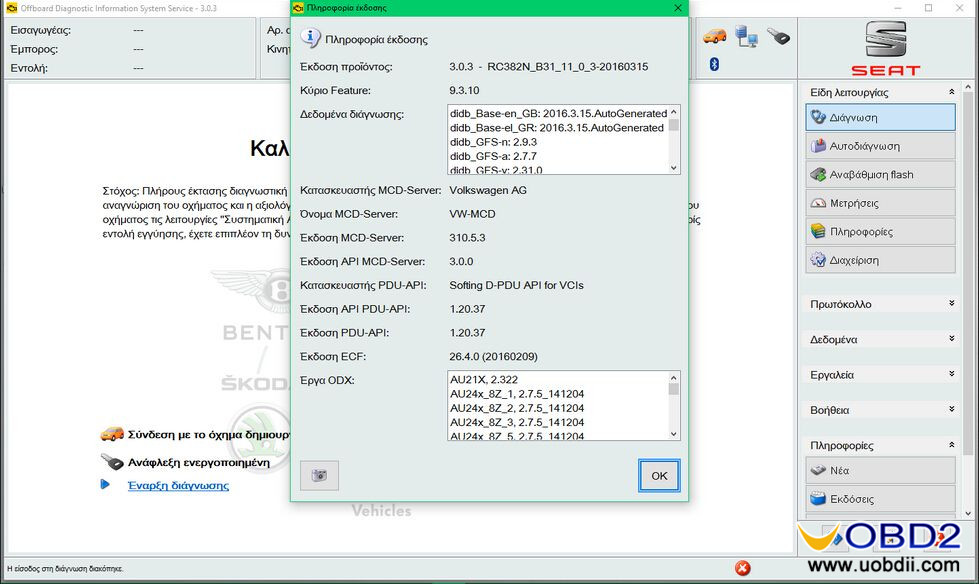
ODIS 3.1.3 and ODIS 3.0.3 both can work with VAS 5054a and VXDIAG VCX NANO 5054. ODIS 3.0.3 is tested by professionals 100% working and safe. ODIS 3.1.3 is tested individually so unknown security. Enjoy at your own risk.
odis-3-1-3-vas-5054a-1
ODIS Service 3.1.3 ftp://ftp.erwin-portal.com/ODIS/SOFTWARE/OffboardDiagSetup-Service_3_1_3.exe
PostSetup ODIS 3.1.3 ftp://ftp.erwin-portal.com/ODIS/POSTSETUP/update_ODIS_3_1_3_EU.zip
ODIS Launcher: https://mega.nz/#!ttRVxZKL!vHGUIvv5AKa6-nveT7i6uLV-KvHtWY-Ly3M4UiHxC_w
Certs for ODIS 2017: https://mega.nz/#F!Fs42VDyQ!oPQCEwTYcoApPtWc-tAReg
Windows 7 32bit with ODIS S 3.1.3 and ODIS E 6.7.5 in VMware:
https://mega.nz/#!SxxnwKZY!BsixCRZ65y-c1IeqY1Tr-tmrPSgE-SJ0m2ce8tR9Pf
Password for the archive: vag-nn.ru
ODIS Flash Data
ftp://ftp.erwin-portal.com/ODIS/FLASH/V/Flashdaten_Volkswagen_2017-01-25.zip
ftp://ftp.erwin-portal.com/ODIS/FLASH/A/Flashdaten_Audi_2017-01-17.zip
ftp://ftp.erwin-portal.com/ODIS/FLASH/E/Flashdaten_Bentley_2017-01-25.zip
ftp://ftp.erwin-portal.com/ODIS/FLASH/S/Flashdaten_Seat_2017-01-31.zip
ftp://ftp.erwin-portal.com/ODIS/FLASH/C/Flashdaten_Skoda_2017-02-07.zip
ftp://ftp.erwin-portal.com/ODIS/FLASH/L/Flashdaten_Lamborghini_2016-12-20.zip
Both VAS 5054A ODIS 3.0.3 and ODIS 3.1.3 support multi languages:
English, Japanese, Portuguese, Romanian, Korean, Dutch, Polish, Turkish, Spanish, French, Italian, Croatian, Danish, German, Swedish, Finnish, Slovenian, Czech, Russian, Greek, Chinese
Note:
ODIS 3.0.3 Software no need activation, can directly use.
Support Lamborghini and Bentley
ODIS-V3-0-3-vas-5054a-2 vas-5054a-odis-3-0-3-language-3
 

Monday, May 22, 2017

Which one VAS5054A to buy?

There are 5 kinds of VAS5054A, therefore some first-time users may be confused…they all seem the same, not sure if there is a difference, which one is best…… In order help them to sort them out, OBD2 engineer make a comparison table as follows.


  SP33 SP33-B SP33-BO SP33-C(Best) SP33-D(Newest)
Supported Protocol K line (ISO9141-2)
High-speed CAN (ISO 11898-2)
Low-speed CAN (ISO 11898-3)
J1850 (SAE J1850)UDS
K line (ISO9141-2) High-speed CAN (ISO 11898-2)
Low-speed CAN (ISO 11898-3)
J1850 (SAE J1850)
UDS
PWM Protocol (they are equipped with OKI chip)
   
Workable Car Models Support most Volkswagen group car models including: VW, AUDI, SKODA, SEAT Bentley and Lamborghini
Workable Car Years Generally, cover from 1996 – 2013 year
Function All VAS 5054A share the same function. As a universal diagnostic interface, VAS 5054A can read and erase ECU fault codes, including Check Engine, ABS, SRS, transmission system, Radio, heating, etc. Turn the check engine light off.
Bluetooth All VAS 5054A support Bluetooth, the Bluetooth interface connects the vehicle with a notebook, desktop PC or test system. The range of the wireless Bluetooth connection is 2 to 5 meters, depending on the environment and the type of Bluetooth adapter used on the PC side.
Language English, Japanese, Portuguese, Romanian, Korean, Dutch, Polish, Turkish, Spanish, French, Italian, Croatian, Danish, German, Swedish, Finnish, Slovenian, Czech, Russian, Greek, Chinese
Upgrade When the newest software is available, contact us to send you download link or CD.
OS Requirement Windows XP(xp2/xp3)
Conclusion: l Another important difference is their price, range from $54 to $99.
l Most users prefer to choose the best quality one Item No. SP33-C
l Item No. SP33-D is the newest one, but an increasing number of users buy it
l Item No.SP33-B is the cheapest one.
In a word, which one VAS5054A to buy, it depends on your budget and requirement.
UOBDII All rights reserved Which one VAS5054A to buy?

Thursday, May 18, 2017

NANO 5054 ODIS V3.03 replace VAS $62.99

Multilanguage WIFI VXDIAG VCX NANO 5054 ODIS V3.03 replace VAS $62.99 flash sale (delivery from HK) at uobdii.com for 3 months (ends February 17, 2017), price was $79.99, save $17.00 (Up to 21% off).
wifi-version-vxdiag-vcx-nano-5054-new-9
ODIS V3.0.3 torrent download (with no password)
https://mega.nz/#!dBRC2SZR!Ro5vQcfriZ9oRW0IY0GG4-rA07G09uu3JctBs5wufI0

VXDIAG VCX NANO 5054 ODIS V3.03 Installation:
1) Computer configuration and operation system requirement:
Windows System Language: American English
WIN 7 32 bits/WIN 7 64 bits
System C: // have to be NTFS format
C: // need to have at least 40GB space for installing ODIS
2) Installation video:
https://www.youtube.com/watch?v=sGE_ElDmnfY

After installation, you will get ODIS V3.0.3 new features compared with ODIS 3.0.1:
– Estimated remaining times are shown for ECU flash operations.
– Diagnostic protocol contains interruptions of GFF sessions, extended measurement values, improved ECU communication view, used diagnostic hardware, connection type of diagnostic hardware, operating system, the hotfix used and submissions of support requests
– The measured value display has been improved.
– Documents in GFF are displayed in separate windows.
– One message box will be shown at the beginning of the test drive mode.
– GFF hotfixes can be integrated during diagnostic sessions.
– Danger messages have been revised.
– Stopping of diagnostic sessions may be interrupted.
– Automatic deletion of autosave diagnostic protocols after successful transmission.
– Selection of PassThru diagnostic hardware has been improved.
– ODIS Service Software update has been stabilized.
ODIS 3.0.3 can work with VXDIAG VCX NANO WIFI version and also VAS 5054A.

The reason why WIFI VXDIAG VCX NANO 5054 ODIS V3.03 can replace VAS 5054A is that it is compatible with OEM software of ODI as VAS, more details as below:

Multi-Languageavailable:
English/Japanese/Portuguese/Romanian/Korean/Dutch/Polish/Turkish/Spanish/French/Italian/Croatian/Danish/German/Swedish/Finnish/Slovenian/Czech/Russian/Greek/Chinese

Connection:
via both WIFI and USB cable.

Update:
Once we are available the newest software, we will soon public at uobdii.com description page.

Workable car makes:
Generally speaking, WIFI VXDIAG VCX NANO 5054 ODIS V3.03 works with most VW, AUDI, SKODA, SEAT Bentley and Lamborghini.

Workable protocol:
K line (ISO9141-2)
High-speed CAN (ISO 11898-2)
Low-speed CAN (ISO 11898-3)
J1850 (SAE J1850)
UDS Protocol
PWM Protocol

Friday, May 12, 2017

Download ODIS VAG 4.0+ PostSetup 30.0.10+ FILE FLASH BENTLEY 2017

Free download ODIS VAG 4.0+ PostSetup 30.0.10+ FILE FLASH BENTLEY 2017(Enjoy at your own risk)
https://mega.nz/#!kkxEAaib!gXrR7d_nX7WpRv6X1YkRBiRoqp7F-VYKodnTP0ErtbM
No pass!
Free download VAG ODIS V4.0.0 crack + PostSetup 30.0.290 if you need:
https://mega.nz/#!z8RUkY4C!1y0KNHHzef4jjtXCdnfi6H6Y1aRvwXjAo2lk3JH9QrM
ODIS VAG 4.0 ONLY no launcher (Unknown security)
https://mega.nz/#F!2dY3lYSA!ZPUpmEl8kcldN7Q9TUVOog
ODIS VAG 4.0 launcher+ license.zip (Tested individually)
https://mega.nz/#!hRIn0aDT!WV_S_yaUbOwLGAiKs5M1LjXdrmPaY8xOFBbGceMoPJk

ODIS-vag-4.0.0-vas5054a-software-1 ODIS-vag-4.0.0-postsetup-software-2

Referred link:
VAS 5054A ODIS 3.0.3 Multilingual in 64G U Disk
Safe and tested 100% OK by users! Recommended!
ODIS-VAG-3-0-3-softwaew-3
ODIS VAG 4.0.0 and ODIS 3.0.3 compatible interface:
VAS 5054A with OKI chip Bluetooth
VXDIAG VCX NANO VAS 5054A
ODIS-vag-4.0.0-vas5054a-software-4 ODIS-vag-4.0.0-vas5054a-software-5


ODIS VAG 4.0 what’s new?
Support for Windows 7/ Windows 10 64 bit operating system
Support VW, AUDI, SKODA, SEAT Bentley and Lamborghini till 2017 year
Optimization of performance in the diagnostic input
Detection of VAS 6154 via subnets
Support for non-convergent measures in the GFF
Integration of the Bugatti brand

A list of ODIS VAG 4.0 Bugfixes
  1. Deviation in EcuCom work for KWP2000 “ECU coding”
  2. ODIS installation error message – Cannot call proc – Actia API PDU
  3. Blinking with a large data container, the flash session does not start
  4. Fuel system cannot be evacuated // Illegible level
  5. Flash abort PROGRAMMING ERROR at Audi A1 Bremse (TPI 2033217/3)
  6. ODIS overwritten when switching from USB to Bluetooth
  7. Bluetooth connection type: No new connection has been established after theDiagnostic test was again within range of the VAS5054A.
  8. Crash at start of application
  9. Update 3.0.2 fails with ODS4010E: UpdateProcess failed with 11
  10. Query error memory hangs: “Read command units (33%)”
  11. Configuring the connection when switching Bluetooth USB takes too long
  12. WLAN Infrastructure Authentication Issue with RADIUS Server
  13. EVA 6154 is searched on the wrong interface, after the end of theDiagnostic session
  14. SingleBuild Service Installation Odis, a “Runtime Error” configuration message forRecovered testers
  15. DA_14 in the AU48X DSD not possible
  16. VCI 5054 connection termination for Windows user change
  17. ODIS texts Interface: German texts have been removed from XML files(Vaudas.texts)
  18. ODIS Service does not present the version of diagnostic data for humans in the
  19. Calibration instruction must be adjusted.
  20. The buttons are displayed in part in the wrong language (instead of GermanEnglish).
  21. The symbol of the status icon changes with the ODIS end
  22. Buttons to start CCR and choose your own review missing
  23. The EN-US language renouncement date is not displayed correctly
  24. In the installation dialog, the EN_US language is displayed twice
  25. Voice checkback leads to corrupted feedback file (invalid XML)
  26. VW VIN vehicle project cannot be opened // running ODS8003E in the systemPROJECT_OPENED state not possible.
  27. VCI-number on DISS protocol

Tuesday, May 9, 2017

ODIS 4.0.0 PostSetup 30.0.10 torrent free download & installation on WIN7

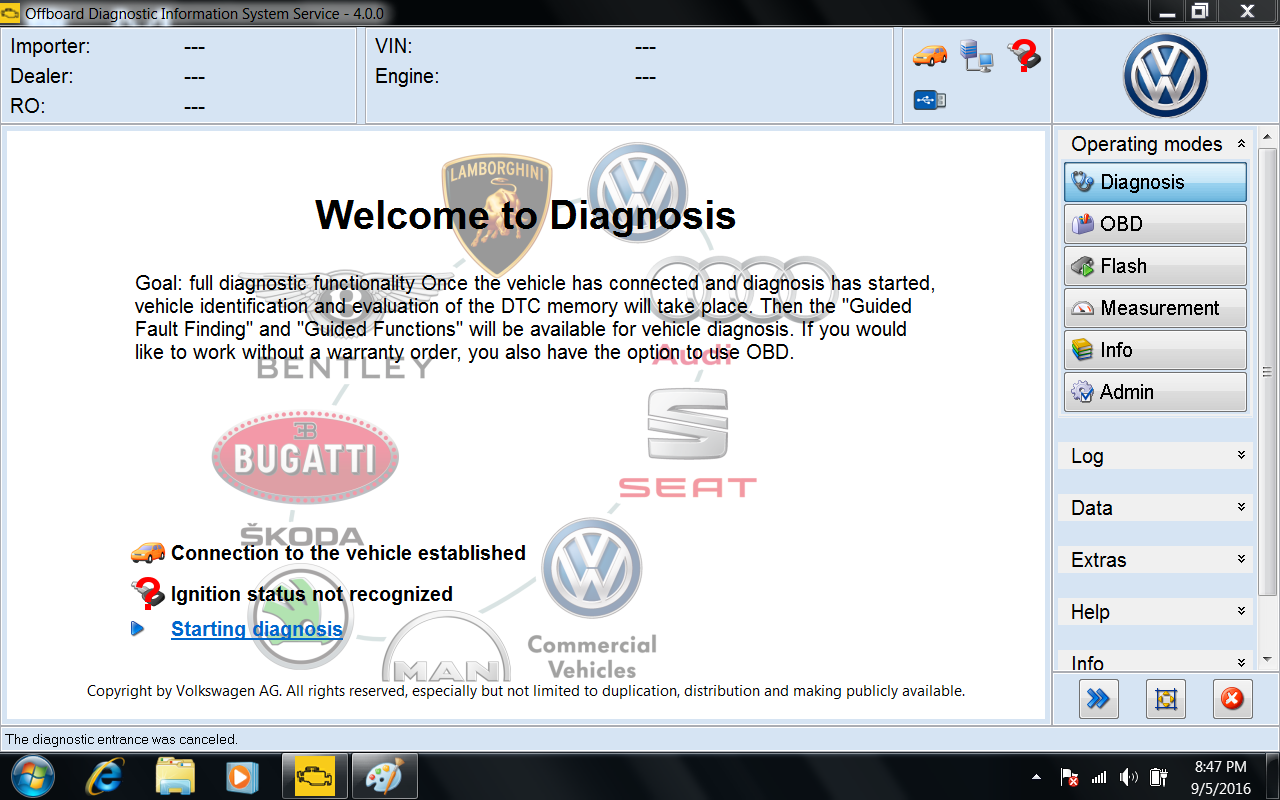
Newest ODIS 4.0.0 PostSetup 30.0.10 is verified working fine on VAS5054A interface (Chinese). The new release brings many new functions, fix bugs and many new VAG models.
Free download ODIS 4.0.0 PostSetup 30.0.10 torrent:
https://mega.nz/#!kkxEAaib!gXrR7d_nX7WpRv6X1YkRBiRoqp7F-VYKodnTP0ErtbM
ODIS 4.0.0 softare stored in 64G U Disk $24.99 free shipping (most safest with after-sales tech support)
vas-5054a-bluetooth-vw-audi-bentley-5
Works on:
  • Windows 7 32bit works, other OS, try at your own luck
  • Works on VAS5054A interfaces:
Item No. SP33-BO, Bluetooth and OKI chip, $74.99 (OK)
VXDIAG VCX NANO VAS 5054, WIFI, $65.99 (OK)
Item No. SP33-B, Bluetooth, $59.99 (OK)
Item No. SP33-E, Bluetooth (AMB 2300), $99 (OK)
Item No. SP33-C (OK)
Item No. SP33-D (OK)
ODIS 4.0.0 PostSetup 30.0.10 installation easily with Youtube video:
Works on WIN7 32bit

Two testing pictures overview:
ODIS 4.0.0 -1
ODIS 4.0.0 -2
Release ODIS 4.0.0 PostSetup 30.0.10 upgrade content
New functions
  • Support for Windows 10 operating system
  • Performance optimization in the diagnostic entry
  • Detection of the VAS 6154 via subnets
  • Support for non-converging measurements in the GFF
  • Integration of the brand Bugatti
Bugfixes
  • Deviation in the EcuCom job for “ECU coding” KWP2000
  • ODIS installation error message – Could not call proc – Actia PDU API
  • Flashing with large data container, flash session is not started
  • Fuel system can not be vented // Level not readable
  • Flash abort ERROR PROGRAMMING at Audi A1 Bremse (TPI 2033217/3)
  • ODIS crashed when switching from USB to Bluetooth
  • Bluetooth connection type: No new connection was established after the diagnostic test was again within range of the VAS5054A.
  • Crash at application start
  • Update to 3.0.2 fails with ODS4010E: UpdateProcess failed with 11
  • Query error memory hangs: “Read control units (33%)”
  • Connection setup when changing from Bluetooth to USB takes too long
  • Authentication problem in WLAN infrastructure mode with RADIUS server
  • VAS 6154 is searched for on the wrong interface after completion of the diagnostic session
  • ODIS service SingleBuild installation, setup message “Runtime Error” for recovered testers
  • DA_14 in the AU48X DSD not possible
  • VCI 5054 Connection termination for Windows user change
  • ODIS Interface texts: German texts have been deleted from the XML files (vaudas.texts)
  • ODIS Service does not display the version of the diagnostic data for MAN in the correct format.
  • Calibration instruction must be adjusted
  • Buttons are displayed partially in the wrong language (German instead of English).
  • The symbol of the status icon changes with the ODIS close
  • Buttons to start the JRC and choose your own exam is missing
  • The date in disclaimer with EN-US language is not displayed correctly
  • In the installation dialog, the language en_US is displayed twice
  • Speech caseback leads to corrupt feedback file (invalides XML)
  • Vehicle project VW VIN can not be opened // ODS8003E Execution in system state PROJECT_OPENED not possible.
  • VCI-Number on DISS-protocol
Vehicle restrictions
  • For brand AUDI, the Flash mode is supported.
  • For brand Volkswagen PKW, the Flash mode is only partly supported. The usage is only allowed if described in TPI.
  • For all other brands, Flash mode is restricted.
Supported Vehicles
All supported vehicles are listed below.
Supported AUDI-Models
  • All AUDI-Models are supported.
Supported Volkswagen-Models
  • All Volkswagen-Models are supported.
Supported Volkswagen Nutzfahrzeuge-Models
  • All Volkswagen Nutzfahrzeuge-Models are supported.
  • Only immobilizer components in LT2 vehicles can be diagnosed.
Supported Seat-Models
  • All Seat-Models are supported.
Supported Skoda-Models
  • All Skoda-Models are supported.
Supported Bentley-Models
  • All Bentley-Models are supported.
Supported Lamborghini-Models
  • Only the following Lamborghini vehicle models are supported:
o Gallardo from MY09-MY14 (only for Immobilizer and Radio Pin)
o Aventador
o Huracán

Download ODIS Engineering 6.7.5 FULL Keygen+ Launcher+ Postsetup

Here free download links of ODIS-E 6.7.5 full package Keygen+ License+ Patch+ Launcher+ Postsetup etc for VXDIAG VCX NANO 5054, VAS 5054A and VAS 5054 Plus! Enjoy mates but also try on your own risk.
odis-engineering-6-7-5-full-package-1
ODIS Engineering 6.7.5 ALL complete with Keygen etc (no password):
https://mega.nz/#!TFUmCZpI!dbX3DKeLW8CRtPGXBtE0UbuIySNnTEULIkywyXPWqyw

ODIS Engineering 6.7.5 Patch:
(key.exe+license.dat+offboarddiaglauncher.exe)
https://mega.nz/#!J8JTiZrL!UXO7MEKwNeyvPXYtJpKhzxjb077rh8kZZRbqtHTe50E

ODIS Engineering 6.7.5 Postsetup (Personally tested):
https://mega.nz/#!P4xlWKJa!f2YmG2AU1Zy4dyWYhmBIXLX4qbLq3hM-BgaLBC_A114
Mount and select the drive letter folder…
The installation in Windows 7 64 bits or Win7 32 bits or windows 8.1

ODIS Engineering 6.7.5 launcher and Keygen:
https://mega.nz/#!NcID0DgK!wsg_kiItuXRELc_orgtCMoqFyRXzlEz_lx6pLWsVHzM
(Just try if it doesn’t need password)

Steps to install ODIS Engineering 6.7.5 (Thanks SCOTT):
make some windows updates or download 2 the KB Files and install them
Install vcredist, 2008, 2010, 2012, 2015
Install Netframework 4,6,1
reboot
install setup
Copy Offboarddiaglauncher.exe to Offboard_service_system_engineering in program files or (x86), run it from there, now it starts and asks for key.
Open keygen, make name, tick box for HW-ID and click generate, enter details in the app and click register, now the odis should start.
Now you update postsetup, you select the directory above odis_engineering so if it was c:/odis_engineering i would select C:/
Aft update , go to admin and put the location of the odx project by pointing to the update.xml or info.xml inside the brands folders A,C,E,L,N,S,V,
the go to update odx packages, it will update the packages and put them in the correct location.

P.S. All above ODIS-E 6.7.5 download links were collected by uobdii.com for you! And we hope this blog helps you, but as it claims these links are not tested 100% safe and working. So if you need a more secure ODIS you can check below:
Newest ODIS V3.03 is tested 100% OK to work together with VXDIAG VCX NANO 5054 ODIS V3.03 by our engineers!
odis-3-0-3-software-vxdiag-vas-5054a-2 wifi-version-vxdiag-vcx-nano-5054-3

ODIS V3.03 Language: English, Japanese, Portuguese, Romanian, Korean, Dutch, Polish, Turkish, Spanish, French, Italian, Croatian, Danish, German, Swedish, Finnish, Slovenian, Czech, Russian, Greek, Chinese

Wednesday, April 20, 2016

VAS 5054A ODIS V2.0 Bluetooth Support UDS Protocol with OKI Chip

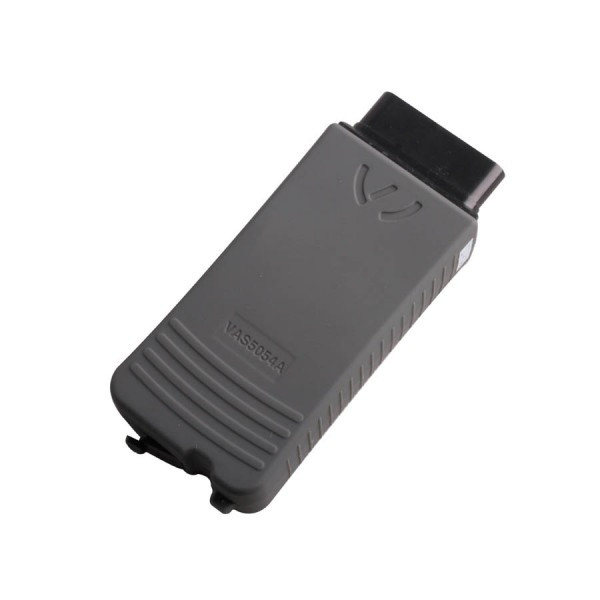
VAS 5054A is Popular Vag diagnostic tool for Volkswagen Group vehicles and all OBD vehicle systems from other manufacturers,mainly do AUDI VW Seat.VAS5054A is bluetooth version which connects the vehicle with a notebook, desktop PC or test system.


VAS 5054A Support Multi-Language: 

English/Japanese/Portuguese/Romanian/Korean/Dutch/Polish/Turkish/Spanish/French/Italian/Croatian/Danish/German/Swedish/Finnish/Slovenian/Czech/Russian/Greek/Chinese

VAS 5054A Supported Car Models: 

VW, AUDI, SKODA, SEAT Bently and Lamborghini

VAS 5054A Supported Vehicle Bus Systems:

K line (ISO9141-2)
High-speed CAN (ISO 11898-2)
Low-speed CAN (ISO 11898-3)
J1850 (SAE J1850)

The Way To Use VAS5054A:

1.Access Via Bluetooth: After a connection to the VAS 5054A has been set up, the Bluetooth software provides a virtual serial COM port (Bluetooth Serial Port Profile). The Diagnostic Base System uses this COM port to communicate with the VAS 5054A.You need to specify this port when you install the diagnostic application.

2.Access Via USB: You can also connect the VAS 5054A to the application PC by using the supplied USB cable. Windows detects the VAS 5054A through Plug and Play, and automatically installs the drivers copied when you installed the diagnostic application. Setup of the VAS 5054A is then complete and the device is ready for use by the diagnostic application.


VAS 5054A Computer Windows System Requirements:

Windows System Language: American English
Windows XP(xp2/xp3)
System C:// have to be NTFS format
C:// need to have at least 10GB space for installing VAS 5054A

VAS 5054A Tech Support:

The following chart is different Vas5054A types:

Item Number
SP33-D
Software Version

ODIS 3.0.1

No stock
Language

English/Japanese/
Portuguese/Romanian/
Korean/Dutch/Polish/
Turkish/Spanish/French/
Italian/Croatian/Danish/
German/Swedish/
Finnish/Slovenian/
Czech/Russian/
Greek/Chinese

English/Japanese/
English Only
OKI Chip No OKI Chip No OKI Chip With OKI Chip With OKI Chip With OKI Chip
Support Vehicles VW, Audi, Seat, Skoda, Bentley and Lamborghini


VAS 5054A FAQ:

Q: VAS 5054A Bluetooth (item No: SP33) can be used to reset service light, VAG K Can V4.6 can’t support service reset for Audi car? In what functions and features 5054A is better than VAG K+CAN 4.6?

A: VAS5054A (item No: SP33) has stable function and good performance in diagnosing. VAG K Can V4.6 can work without connecting with computer, it is convenient and simple to use. Super VAG K+CAN V4.6 can be used to reset airbag light and active TV for a part of car models.


Q:Can VAS 5054A disable immobilizer like EC tools?

A:No, it can’t disable immobilizer; our 5054A only support reset every electronic control system in the car.

Q:Over the last couple weeks the car's been giving me some trouble starting up. It starts, revs to 1200 briefly and then cuts out. My initial thought was it just had to Do with the cold weather lately and remedied I by just holding the key a bit longer in the on position. Today though, I had to actually give it a significant amount of throttle to keep from cutting out when starting. Then it died at two intersections. It starts up fine again, but I'm stumped as to what the issue might be. My initial thought is the fuel pump. Anything else it could be?

A:VW / Audi / Skoda ... blink codes, trouble codes (VAG), fault codes (Ross), tomato, potato. All I can tell you is the Master Tech who does side jobs on my cars uses a 5054A ODIS V3.0.1. With the right cables / software it pulled the trouble codes for the ABS in my '90 Corrado to condemn it. It's been a long time since I actually counted those blinks to diagnose. The point is it's all the same info whether it blinks a led or displayed as text with graphics on a screen (my preference).

Q:I found this VAS 5054a software and bluetooth can obd2 interface. Is this a ligit vas program? and will it do the same or more as the ross tech software?

A:Now if you use 5054 you can get the automated diagnosis on any fault code more than Ross tech can support! And it is cheaper than Ross tech and easy to update too.

Q:Light stays on and vcds will NOT clear it? I used Win XP when I installed Vagcom 11.11. Any idea?

A:You would need VAS-PC and a 5054a Head to enter into in the basic setting / adaption of the module which I'm guessing you don't have. That's what the dealer will do though. 

Q:I got my tester with VAS 5054A ODIS and this is what I found when i tested the car:
P1626 Databus Drivetrain Missing message from trans ctrl mod.They are no errors in the transmission control module, only in both ECU's. How to fix?


A: it's a static message, ie it is not currently fault-free. There will be more information available from a paid-for VCDS scanner cable together with a laptop, if that's an option for you. This is because a regular OBD-II scanner only reports emissions information and not the car computers' diagnostics information, such as open circuit wires.

Q:I have the latest Vag Com and Ihave VAS 5054A ODIS.I disconnected the speedo for a short while and when i put it back it triggered the immobilizer and the car will not run now for more than a few seconds. It seems the speedo lost its link to the keys and they need to be rematched. I do not want to take it to Audi. I have taken a full dump of the eeprom (G93LC86C) but would need to know which addresses are the 4 digit PIN. Does anyone know how to obtain this - either by finding it in the eeprom dump or using some piece of software or hardware, or can i get it from a login to GeKo?

A:Pull out your radio (takes 10 minutes), write down the s/n#, and ask the service manager really nicely, and they should give you your code for free.

Where to buy VAS 5054A?